How to make an 80s version of yourself from a photo
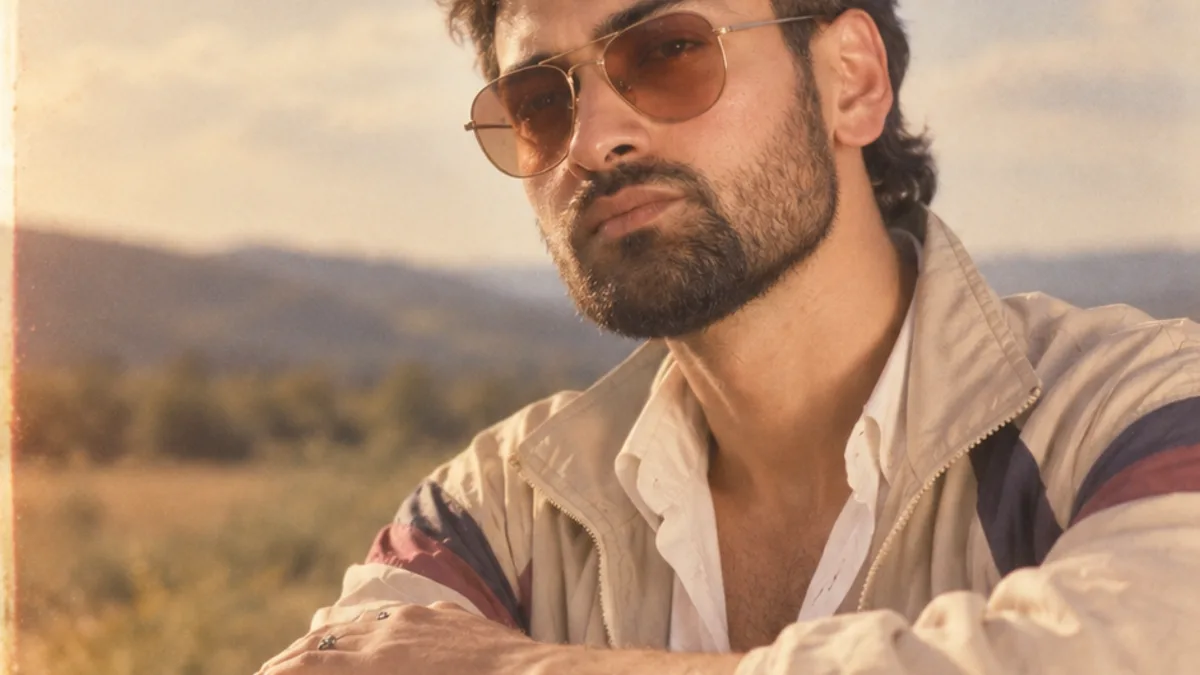
Upload a clear, front-facing photo of one person, subscribe to a plan, and tap Apply 80s. An AI image model restyles the hair, wardrobe, lighting and background to the mid-1980s while keeping your face and expression. A result comes back in under a minute.
Make an 80s version of yourself
- Pick a photo. Choose a clear, well-lit photo showing one person from the chest up, facing the camera.
- Open 80s Filter. Go to 80sfilter.try2.app and drop the photo into the upload area at the top of the page.
- Subscribe. Pick the Weekly or Yearly plan. 80s Filter is subscription-only, with no free tier.
- Apply 80s. Tap Apply 80s. The AI restyles hair, clothing, lighting and background to the 1980s.
- Save the result. In under a minute your 1980s portrait appears. Download it, or find it later in your Studio.
What the tool actually does
80s Filter is not a colour overlay. It sends your photo to an AI image model (OpenAI's GPT Image 2, run through fal.ai) that rebuilds the era-specific parts of the picture — the hairstyle, the clothes, the lighting, the film texture and the backdrop — while holding your face, bone structure, skin tone and expression steady. The result should read as you, photographed in 1985, not a stranger.
Step by step
- Choose the right photo. A clear, front-facing shot of one person, framed from roughly the chest up, in even light. Selfies and portraits work best. See best photo for an 80s filter for the full checklist.
- Upload it. On the home page the upload area sits right at the top. Drop your file in or tap to browse.
- Pick a plan. Generating an image needs an active subscription — Weekly ($7.99, 7 images a week) or Yearly ($49.99, 10 images a week). There is no free trial.
- Tap Apply 80s. The photo uploads over an encrypted connection and the model starts work. Most images take 20–60 seconds.
- Review and save. Press and hold the result to compare it with your original. Hit Download for the full-resolution file. Every image also lands in your Studio.
How to get a stronger 1980s look
- Front-facing beats three-quarter or profile — the model has more to work with.
- A plain or simple background gives the AI room to drop in a synthwave grid or studio backdrop.
- Neutral current clothing restyles more convincingly than a busy graphic tee.
- Good light on your face keeps your identity locked in. Harsh shadows can confuse it.
If the result is not quite right
Run it again with a cleaner photo — a failed or weak result on one photo is often fixed by a better input. Read why your 80s photo looks wrong for the common causes and fixes.
Upload a photo and 80s Filter restyles it into a 1980s portrait — hair, wardrobe, film look and all.
Open 80s FilterFAQ
Do I need to describe what I want?
No. 80s Filter applies one fixed look — a mid-1980s restyle. You only choose the photo.
Will it look exactly like me?
It keeps your face and identity, but hair, clothing and lighting are reinvented. Results vary and are meant to be fun, not a perfect likeness.
How many can I make?
Weekly plans include 7 images per rolling 7 days; Yearly plans include 10. Unused images do not carry over.