How to get 80s big hair in a photo
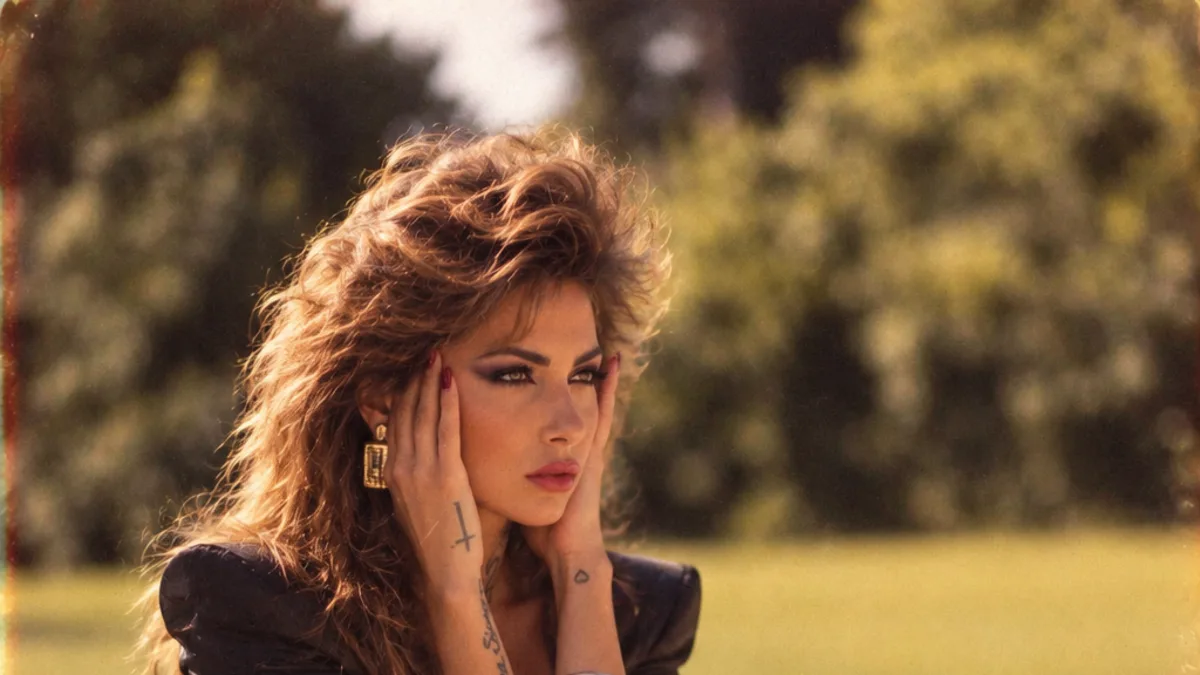
For a photo, an AI 80s filter adds period-accurate volume for you — teased crown height, feathered face-framing layers or a soft perm — based on your existing hair. Upload a front-facing photo where your current hairline and length are visible so the AI has something to build on.
What "80s hair" really means
The 1980s motto was "more volume, more texture, more layers, more hairspray". A few distinct looks lived under the big-hair umbrella:
- Teased volume — back-combing at the roots to build an interior cushion, adding as much as several inches of crown height.
- The perm — a chemical curl for bouncy, full-bodied hair, worn by women and men.
- Feathered layers — long layers razor-cut to wispy ends, curved away from the face with a round brush.
- The mullet — short and tidy at the front and sides, long at the back. "Business in the front, party in the back."
Getting it on your photo
80s Filter picks an era-appropriate version for you and applies it in one pass — you do not choose the specific style. To help it land well:
- Use a photo where your hairline and current length are clearly visible. The AI extends and volumises what is there; a hat or a very tight crop gives it less to work with.
- Front-facing shots let it build symmetric crown height. A steep side angle can lopside the volume.
- Good light on the top of your head helps the texture read as real hair rather than a helmet.
Doing it for real (for a costume shoot)
If you want the actual hairstyle for an 80s party, not just a photo: mousse on damp hair, blow-dry upside down with a round brush, back-comb the crown gently, tip your head back and mist hairspray underneath the top layer, then smooth the surface. Legwarmers optional.
Upload a photo and 80s Filter restyles it into a 1980s portrait — hair, wardrobe, film look and all.
Open 80s Filter